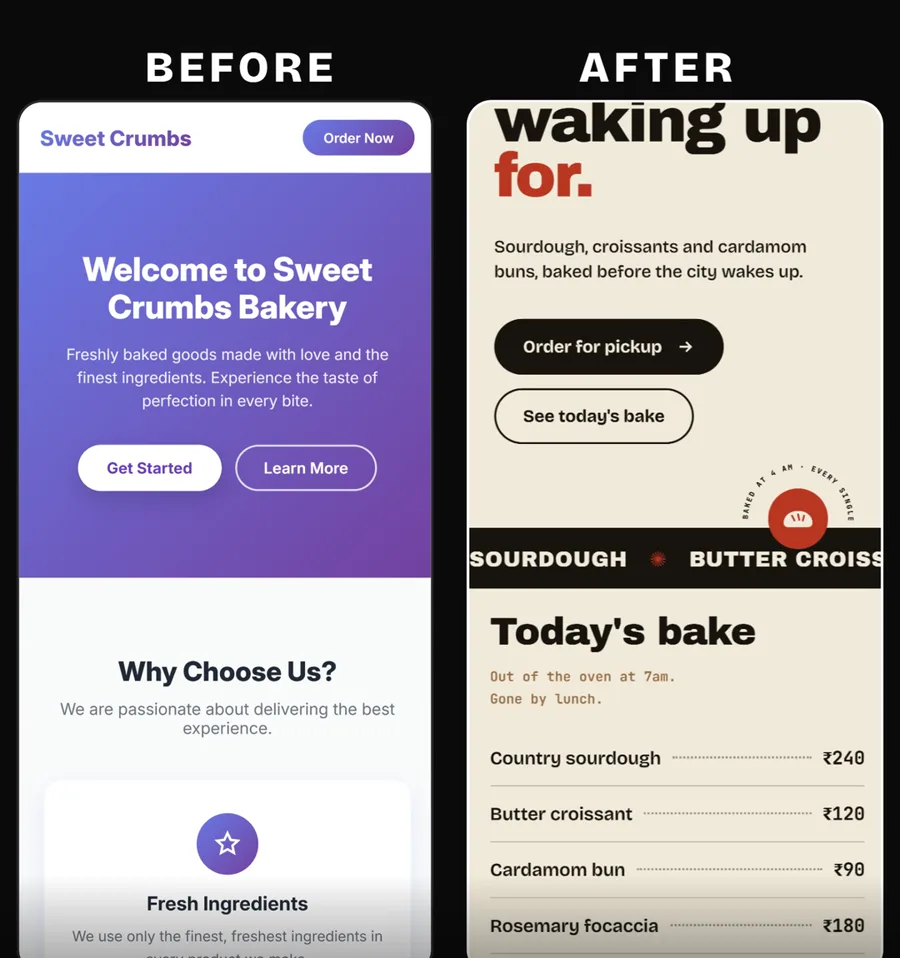
4 free plugins that make Claude Code check its own work
If you use Claude Code, you need these four plugins. All four are completely for free. Two are made by Anthropic and one by Microsoft. Here are the links, what each one does, and one prompt that installs all of them for you.
1
Superpowers
obra on GitHub · over 300,000 stars
Before Claude builds anything, it asks you good questions and makes a plan. Then it checks its own work before it shows you anything.
Then just say: build me a landing page for my bakery
Install these four Claude Code plugins for me, one by one. If Node or Python is missing, install that too. When you are done, tell me to restart Claude Code.

1. https://github.com/obra/superpowers
2. https://github.com/anthropics/claude-plugins-official/tree/main/plugins/frontend-design
3. https://github.com/microsoft/playwright-mcp
4. https://github.com/anthropics/claude-plugins-official/tree/main/plugins/claude-security
How to install them
1
Open Claude Code
In the Claude desktop app, switch to Code. Or open Claude Code in your terminal.
2
Paste the prompt above
It has all four links. Claude will install them one by one, and it will install Node or Python if you need them.
3
Restart Claude Code
Close it and open it again so it loads the new plugins.
4
Try it
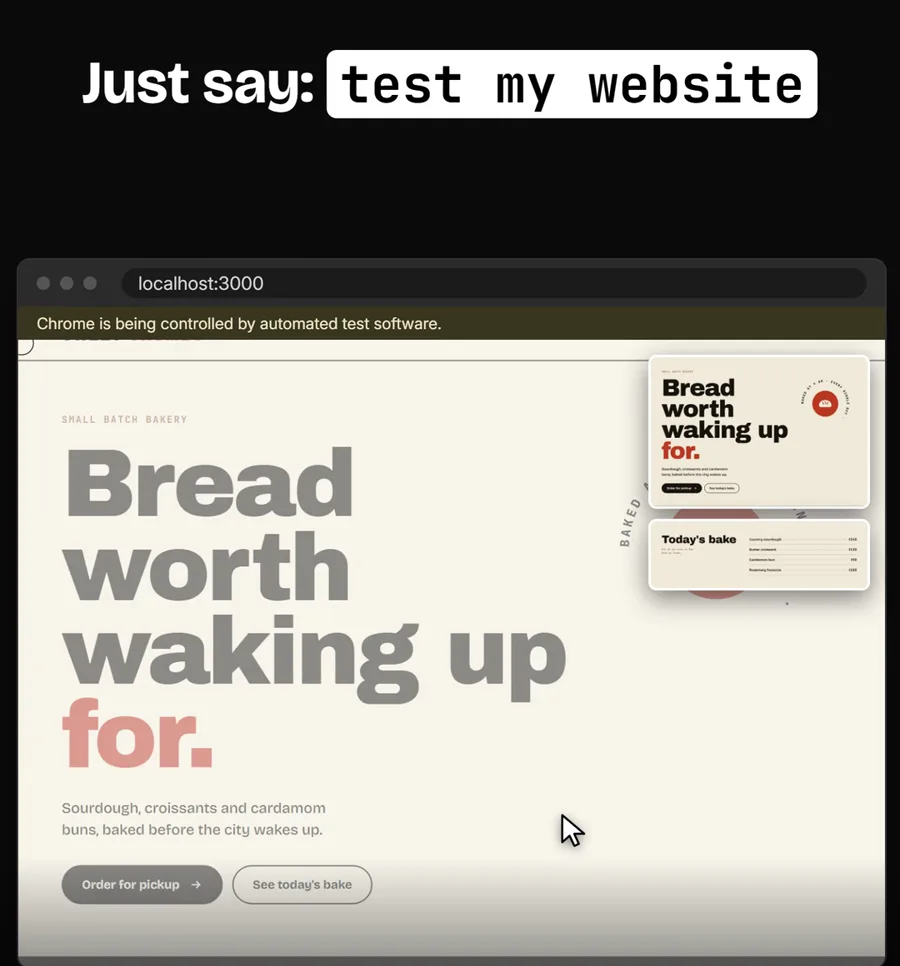
Say "test my website" or "run a security scan" and watch what it does.
Questions people ask
Are these plugins really free?
Yes, all four are free. You need a Claude plan to use Claude Code itself, and security scans use your plan.
Do I need to know how to code?
No. You paste the links and talk to Claude in plain English. I do not write code myself.
What else do I need on my computer?
Playwright needs Node and Claude Security needs Python. If either is missing, just say "install it for me".
Where can I read more about Claude Code plugins?
Anthropic has a guide to finding and installing plugins in the Claude Code docs. Read the guide
Want AI set up like this for your business?We build AI setups and run ads for businesses.
These plugins are made by their own creators: Superpowers by obra, Frontend Design and Claude Security by Anthropic, Playwright by Microsoft. All credit to them.