Now Claude Code can hear what you can hear
Yes, you heard it right. You can now give Claude ears. It is called Earshot, and it is completely for free. It can tell what a sound is, listen to your video and tell you what to fix, and even make sound effects for you.
Open Earshot on GitHubThe prompt to set it up
Open Claude Code and paste this.
Install this and add it to Claude Code as an MCP server. Install Python and ffmpeg too if I don't have them.

https://github.com/Leonxlnx/earshot
What it can do
And I am not talking about transcription. This is about the sounds themselves.
- 1
It knows what a sound is
Give it an audio file and ask it what it hears. It can tell rain, clapping, breathing and a lot more.
Then just say: @rain.wav what do you hear?
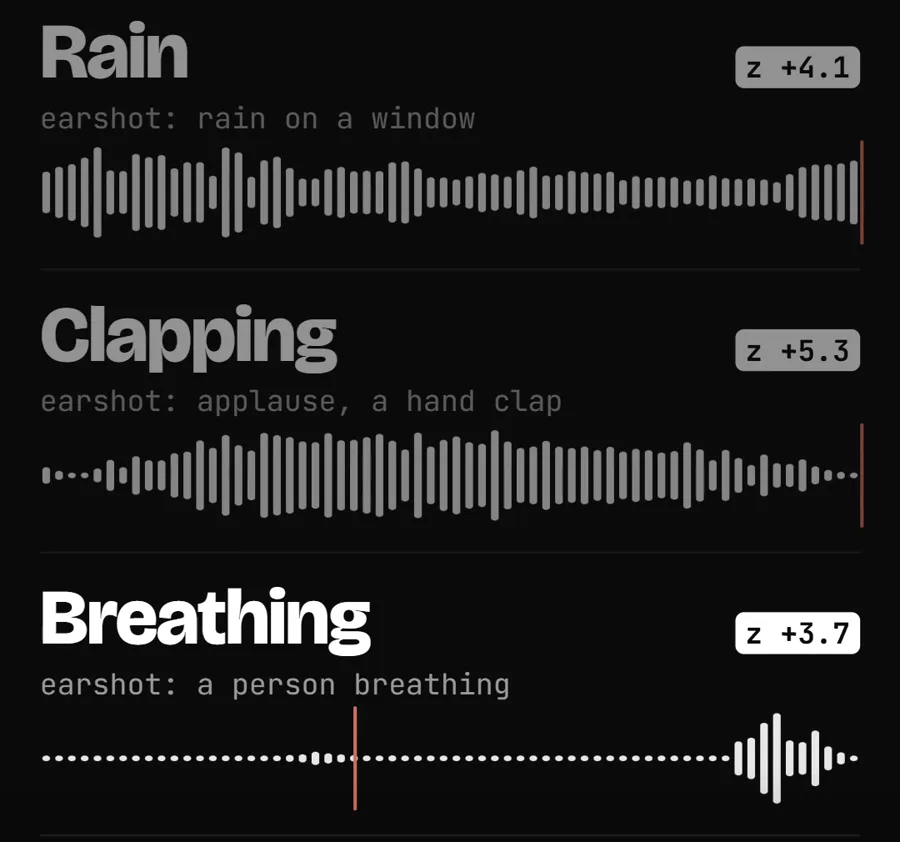
Real Earshot results on three sound clips, from my reel. - 2
It listens to your video and tells you what to fix
When I give Claude my video to edit, I also ask it to listen to it. Earshot finds the moments that have no sound and tells Claude where to add sound effects.
Then just say: @reel.mp4 edit my reel. Listen to it and add sound effects.
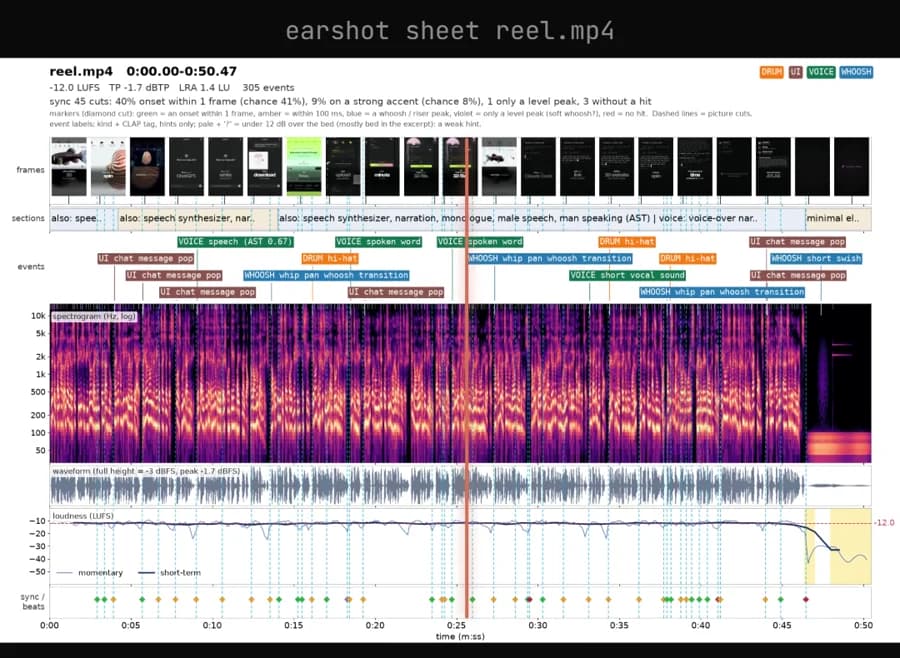
The sound report Earshot made of one of my own reels. - 3
It makes sound effects too
Ask it for a sound and it will make it for you. The whoosh in my reel was made by Earshot itself.
Then just say: make me a whoosh sound
How to set it up
- 1
Paste the prompt into Claude Code
It will install Earshot for you, and Python and ffmpeg too if you do not have them.
- 2
Close Claude Code and open it again
Once it is done, restart it so Earshot shows up as connected.
- 3
Give it a sound or a video
Now give it an audio file or a video and ask it to listen.
Questions people ask
Is Earshot free?
Yes. Earshot is free and open source. You need a Claude plan to use Claude Code itself.
Do I need a powerful computer?
No. It runs on your computer without a graphics card. The first time, it downloads about 1.1 GB of models.
What do I need installed?
Python and ffmpeg. If you do not have them, ask Claude to install them for you.
Is there any part I should skip?
Yes. Skip the optional "llm" command. It sends your audio to a paid cloud service.
Want AI set up like this for your business?We build AI setups and run ads for businesses.
Talk to usEarshot is made by Leon Lin (Leonxlnx on GitHub). All credit to him.