Every website in my reel was made with Claude, and they all run in a normal browser tab. In one you can steer a boat down a river, and in another you can take a robot jellyfish apart. Here is the free kit behind them, with all the links.
The free 3D website kit
First the prompts, then the Claude skills, then the free 3D tools.
1
Meng To's full prompt
Meng To (@MengTo) · the prompt behind Sakura River Valley
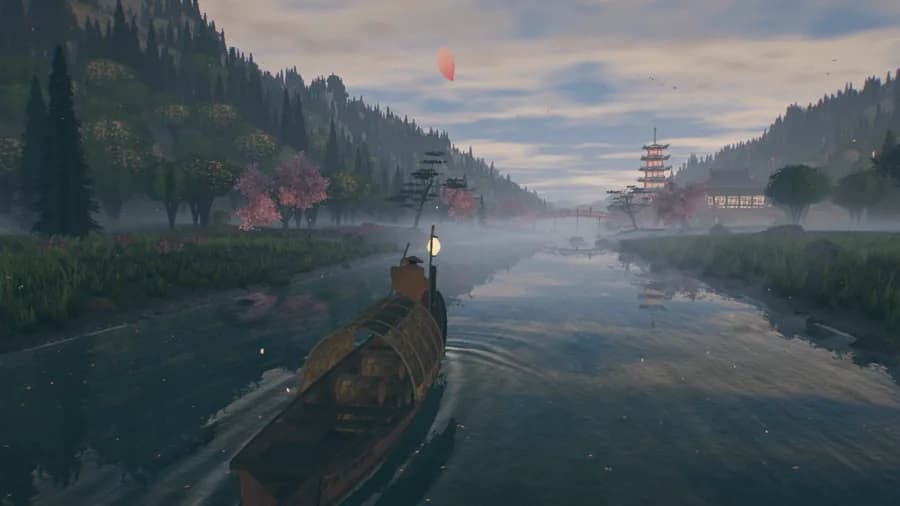
Meng To made this whole 3D river valley with Claude Opus 5.5. You can steer a boat through Japanese landscapes while the weather changes and day turns to night. He shared the full prompt for free. You will find it in the replies under his post.
Sakura River Valley by Meng To, from my reel. It runs live in your browser at valley.mengto.here.now.Open his post on X
2
Elvar's 9 prompts
Elvar (@elvar_official) · the prompts behind Visual Learning
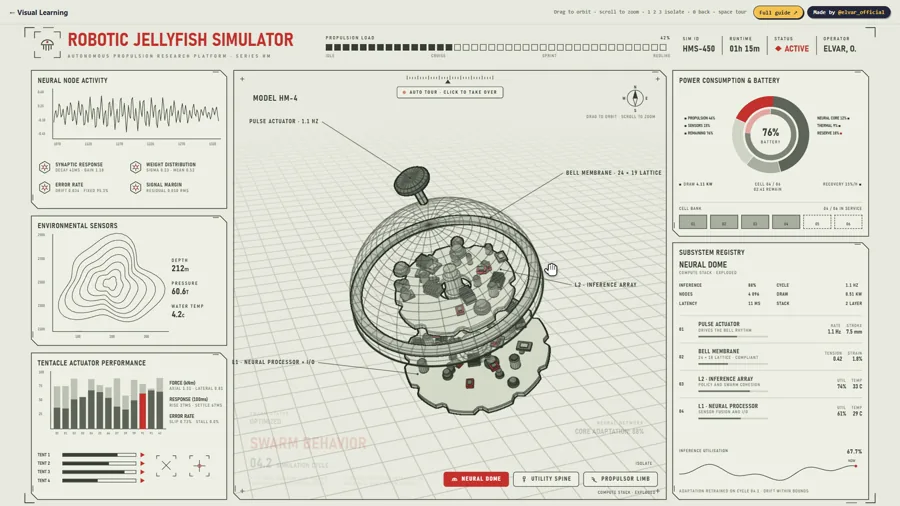
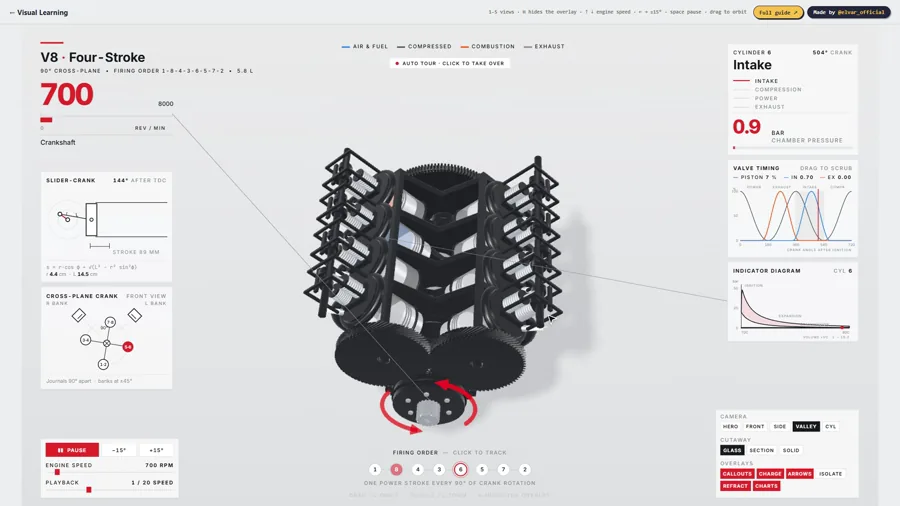
Elvar made Visual Learning with Claude. It has 40 machines you can open up, like a V8 engine and a robotic jellyfish. In this free article he shows his setup and the 9 prompts he uses.
The robotic jellyfish on Visual Learning by Elvar, from my reel. Open it at visual-learning.app.Read his article on X
3
Leon Lin's 8 rules
Leon Lin (@LexnLin)
In this free article he explains how he prompts AI to build good looking demos. He starts big demos with 9 to 12 reference images, and he tells the AI to match them almost exactly.
Anthropic makes Claude, and these are its official skills. The one you need here is frontend-design. It stops your site from looking like every other AI website.
Copy this into Claude Code. Add your topic and your reference images first.
Prompt
Build me a one-page 3D website about [your topic] with three.js.

My reference images are in this folder: [add 9 to 12 images you like]. Match their look as closely as you can.

1. Make one big 3D scene that fills the whole screen. It should move slowly on its own, and react when I move my mouse or scroll.
2. Use soft light, shadows and a little fog, so it looks like a film.
3. Keep the text short and big, on top of the scene.
4. Make it load fast and work on phones.

Before you show me anything, open the page in a browser, take screenshots and compare them with my references. Fix what does not match. Do not stop until it matches.

Show me still screenshots of the main view first. Add the animation after I say yes.
How to make your first 3D website
1
Install the skills
Open Claude Code and just say: install taste-skill and unlazy for me. Paste their two GitHub links from this page.
2
Collect 9 to 12 reference images
Take screenshots of websites, films or 3D scenes you like. Put them all in one folder.
3
Paste the prompt
Use the prompt above, or Meng To's full prompt with your own topic. Now give some time to Claude, and it will build the whole thing for you.
4
Let it check its own work
Claude opens the page, takes screenshots and fixes what does not match your images. Let it go round a few times.
5
Put it online for free
When you like it, just say: put this site online on Vercel. Vercel has a free plan.
Questions people ask
Were these websites really made with Claude?
Yes, all three creators said so on X. Meng To used Claude Opus 5.5 for Sakura River Valley, and Elvar built Visual Learning with Claude and his own skill. Kevin Ngo made "a small light" with Claude Opus 5. It has 25 tiny rooms in one file, with no images at all. Open Kevin Ngo's site
Do I need to know how to code?
No. You talk to Claude in plain English. I do not write code myself.
Is all of this free?
The prompts, the skills and the tools on this page are free. Meshy has a free plan. You need a paid Claude plan to use Claude Code.
What is three.js?
It is a free tool that draws 3D scenes in a web browser. Meng To's river valley is built with it. You do not need to learn it. Claude writes that part for you. Open three.js
Want AI set up like this for your business?We build AI setups and run ads for businesses.
Each website in my reel was made with Claude by its own creator: Sakura River Valley by Meng To, Visual Learning by Elvar and "a small light" by Kevin Ngo. The prompts, skills and tools are made by Meng To, Elvar, Leon Lin, Anthropic, ibelick, DavidHDev, Paper, Poly Haven, 21st.dev, Sketchfab and Meshy. All credit to them.