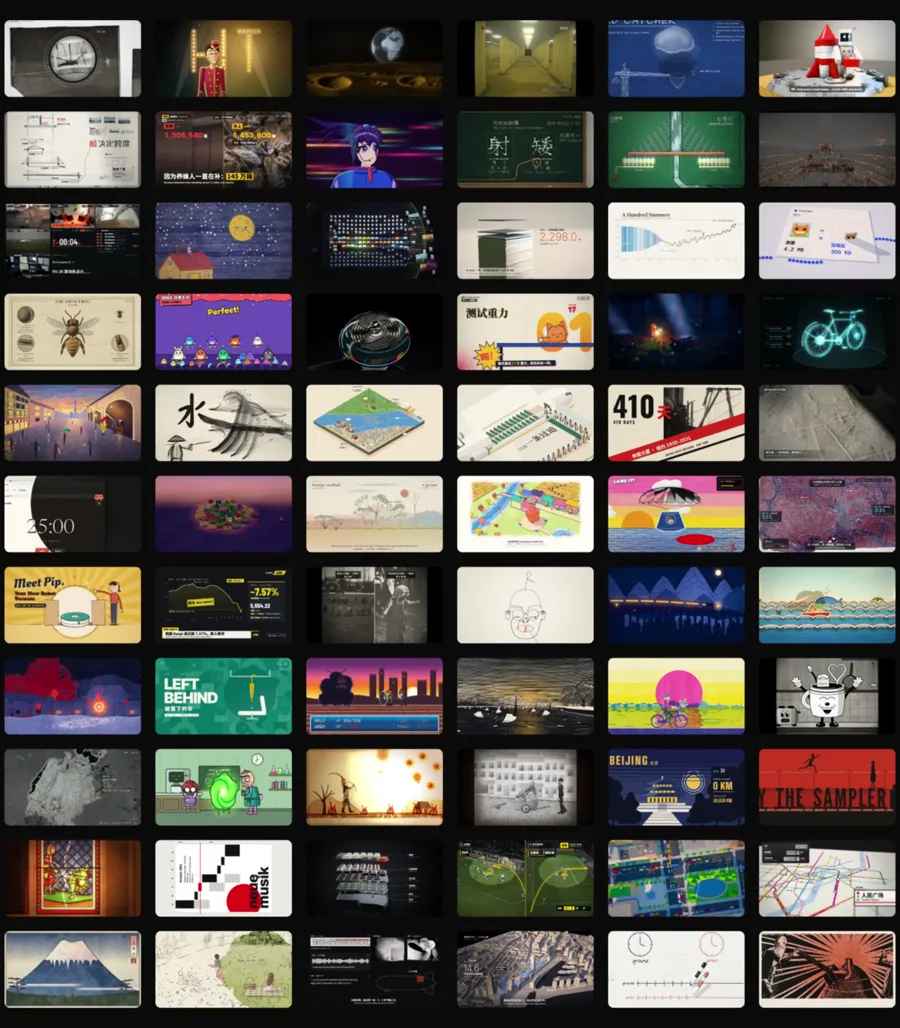
The films in my reel come from a free skill called Lemo-Opuscar. It teaches Claude Code 66 film styles. You pick a style and explain your idea in plain English. Claude writes the story, adds the voice and the music, and renders the whole film in code. Here is the link, the install steps and a prompt to start with.
It is a free skill for Claude Code with 66 film styles, like Whiteboard Explainer, Watercolor Brush and cartoon styles. Each style is a style prompt plus a demo film that Claude Opus 5.5 made entirely in code, with no video model. Paste these two lines into your terminal, one by one, to install it.
From my reel: one still for each of the 66 styles. Style stills by LemoLab (CC BY 4.0).Open Lemo-Opuscar on GitHub
Prompt
claude plugin marketplace add lemomo-ai/lemo-opuscar
claude plugin install lemo-opuscar@lemolab
2
The gallery of all 66 styles
LemoLab · 66 styles in 11 categories
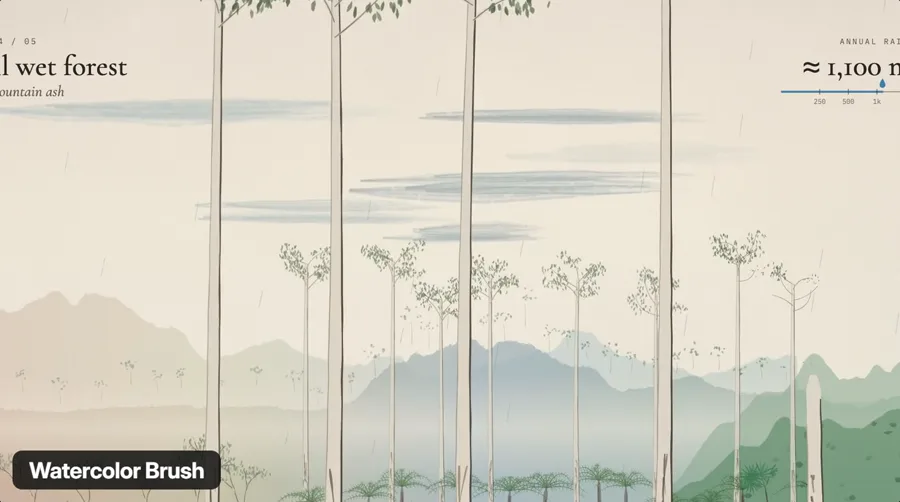
Watch the demo film for each style before you pick one. There are whiteboard explainers, watercolor, cartoon and anime, documentary styles and many more. Then just use the style name in your prompt.
From my reel: the Watercolor Brush style. Demo film by LemoLab (CC BY 4.0).Open the gallery
3
Make a style your own
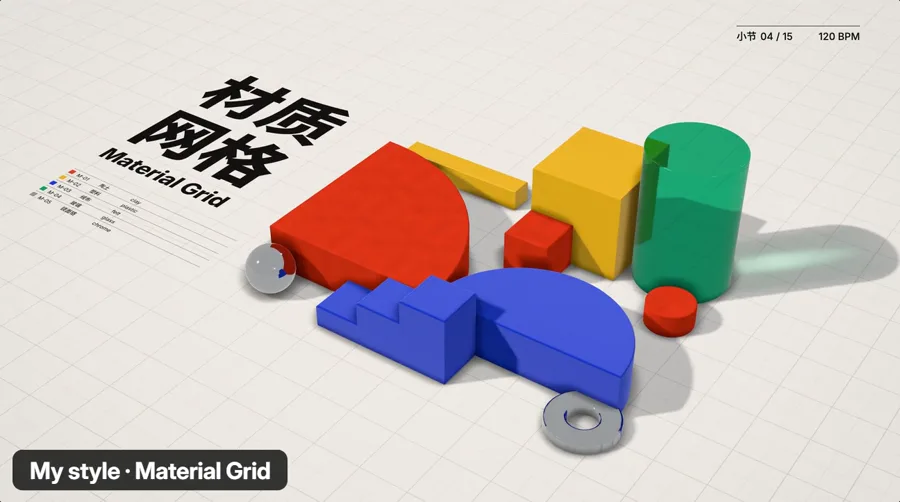
You can start from a style in the library, or from a blank page. Describe the look in your own words, or share a picture or a film you like. You can add your brand colours and logo too.
From my reel: Material Grid, the custom style example in the skill's own README. Demo film by LemoLab (CC BY 4.0).
Then just say what you want
Fill in the brackets and paste it into Claude Code. The example in the skill's own README is: "Make a 45-second film in the watercolor style about the coffee farm my family runs. Warm female narrator."
Prompt
Make a [length, for example 45-second] film in the [style name from the gallery] style about [your idea]. [The voice you want, for example warm female] narrator.
How to make your first film
1
Check what you need
It needs Node 20 or newer, ffmpeg 7 or newer and Python 3.11 or newer. If you do not have them, just say "install these for me" in Claude Code.
2
Install the skill
Paste the two install lines above into your terminal, one by one.
3
Pick a style
Open the gallery, watch a few demo films and pick the one you like.
4
Say what you want
Paste the prompt above with your idea. Claude asks you a few things once, up front, like whether you want to see a storyboard first. Then it writes the story, adds the narration and the music, and renders the film frame by frame.
Questions people ask
How long does one film take?
About 30 to 60 minutes of the agent's time, and a fair amount of tokens. That is the number in the skill's own README. Read the README
Does it use an AI video model?
No. Claude writes code that draws every frame, and the film is rendered frame by frame. There is no video generation and no stock footage. The voice is text-to-speech, and the music is original scores made from free sample libraries.
Is Lemo-Opuscar free?
Yes. The code is free and open source (MIT), and the films you make are yours. The demo films and stills belong to LemoLab under CC BY 4.0, so credit them if you use one. You still need Claude Code, and each film uses a fair amount of tokens.
Which Claude model should I use?
The styles are tuned for Claude Opus 5.5. Other models may not get the same look.
Want AI set up like this for your business?We build AI setups and run ads for businesses.
Lemo-Opuscar is made by LemoLab. The demo films and style stills on this page and in my reel are by LemoLab, from github.com/lemomo-ai/lemo-opuscar, shared under CC BY 4.0. All credit to them.