This is how I build a website with AI. First, I write each detail of my business in one document. Then Paper or Pencil makes a wireframe, a simple drawing of the page layout. Last, Claude or Codex turns the wireframe into code and puts the website on the internet. Here is each step, with a prompt to copy.
The 3 steps
Do the steps in this order. Each step gives the AI what it needs for the next step.
1
Step 1: Ideation
With Claude or ChatGPT
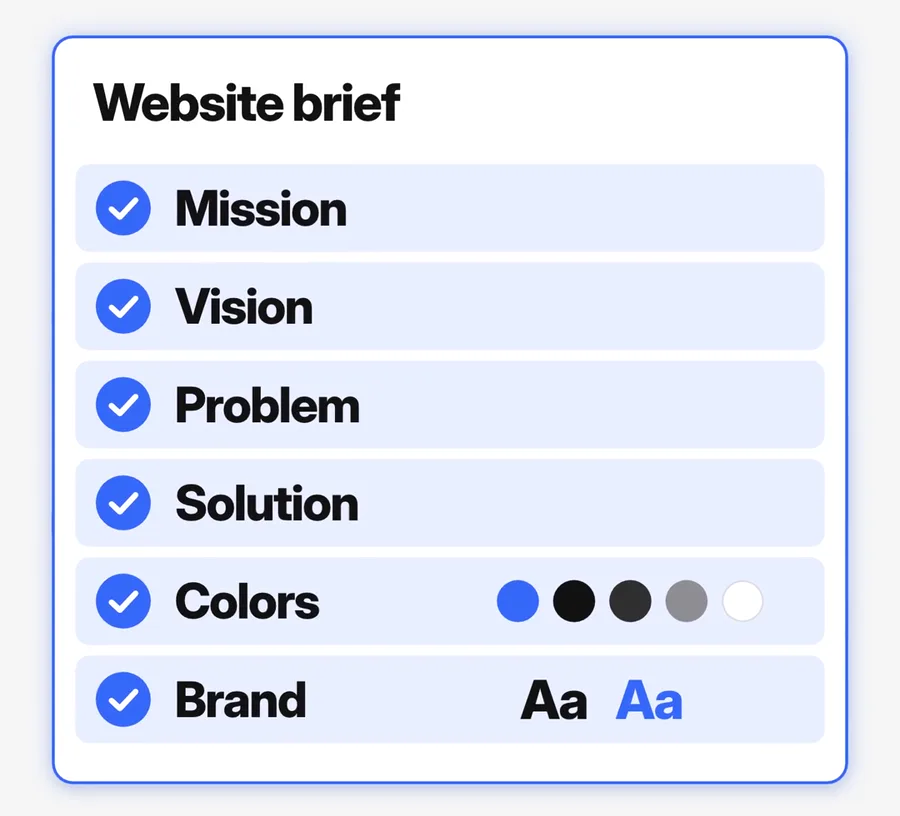
Tell Claude or ChatGPT what you want. Then open a new document. Write each detail of your business in it: the mission, the vision, the problem, the solution, the colors and the brand. Now the AI has all of your facts in one place. The prompt below asks you the questions and writes the document for you.
The website brief from my reel. This card is a graphic made for the reel. Your brief is a normal document with the same headings.
Prompt
I want a website for my business. Do not write any code. First, help me write a website brief.

Ask me one question at a time. Use plain words. Ask about:
1. My business: what it sells and who buys it.
2. The mission: why the business exists.
3. The vision: where the business will be in a few years.
4. The problem: the problem that my customers have.
5. The solution: how my business solves that problem.
6. The colors: the colors of my brand. Use hex codes if I have them.
7. The brand: my logo, my fonts and the feel of my brand.
8. The website: the pages that I need and the one thing that a visitor must do.

If I do not know an answer, give me 3 options to choose from.

When you have all the answers, write one document called "Website brief". Use these headings: Mission, Vision, Problem, Solution, Colors, Brand, Pages. Do not invent facts, prices or reviews. If you do not have a detail, write [NEED: ...] in its place.
2
Step 2: The wireframe
With Paper or Pencil (now pen.dev), connected to Claude or ChatGPT through MCP
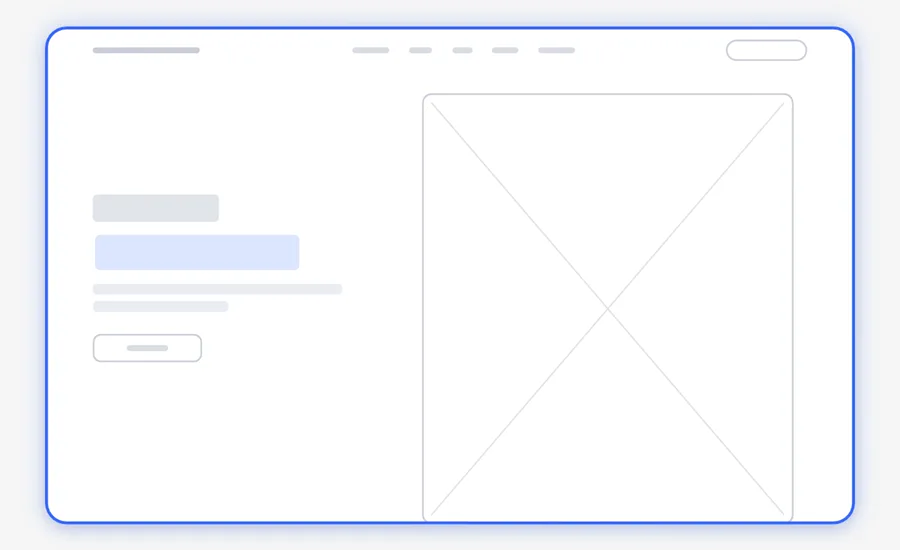
A wireframe is a simple drawing of the page layout. Paper and Pencil are design apps. They connect to Claude or ChatGPT through MCP, and then they make the wireframe for you. Change the wireframe until you like it. To change it, just say what you want, for example "Move the photo to the left." Make the wireframe before any code. It shows you the layout before the AI uses tokens (the units that measure your AI usage) on the code.
If you use Pencil, write Pencil in place of Paper in the prompts.
A wireframe of my homepage, drawn for my reel. It has the same layout as the top of thegrowthengine.net.See the full Paper design setup
Prompt
Read my website brief below. Then make a wireframe of my homepage in Paper. A wireframe is a simple drawing of the page layout. It has grey boxes for text and images. It has no colors and no photos.

Rules:
1. Make the desktop page 1440 px wide. Then make a phone version 390 px wide.
2. Use the pages and the sections from my brief. Put the most important section at the top.
3. Put a short label on each box, for example "Headline", "Photo" or "Button".
4. When you finish, look at the full page. Fix any problem in the layout.
5. Do not write any code.

Then list the sections in order and ask me what to change.

My website brief:
[paste your website brief here]
3
Step 3: The code
With Claude Code or Codex · Next.js and Three.js · Vercel or Netlify
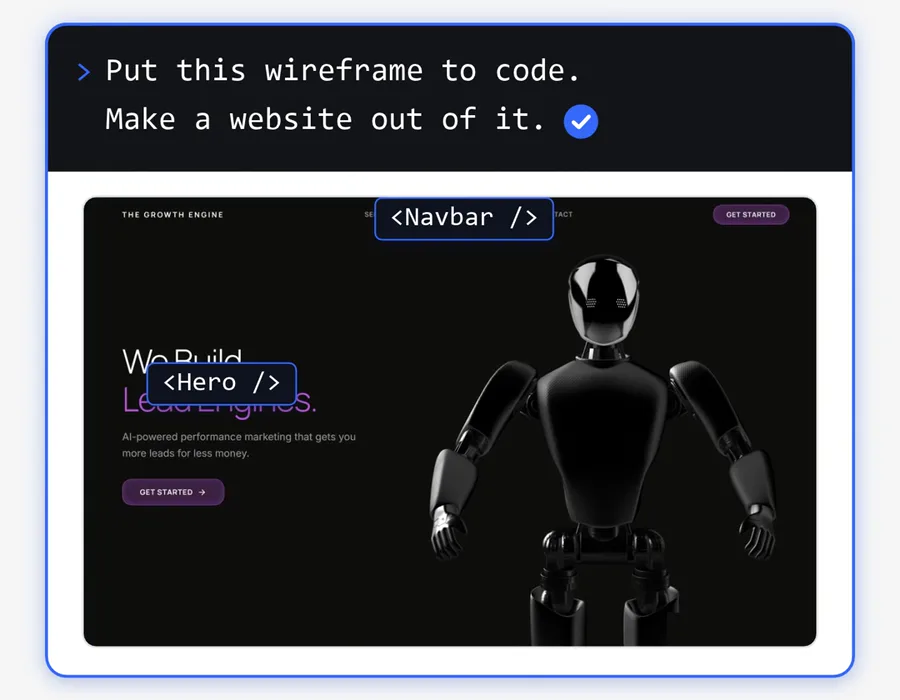
Open Claude Code or Codex in a new folder and put your brief in it. Ask it to turn the wireframe into a website. I use Next.js and Three.js. Next.js is a framework (a set of ready parts) for websites. Three.js adds 3D graphics to a web page. When the website is ready, ask Claude or Codex to deploy it on Vercel or Netlify. Deploy means to put the website on the internet.
Claude Code and Codex need a paid plan or an API account.
The prompt box and the two code labels are made for my reel. The website under them is my real homepage, thegrowthengine.net.
Prompt
Turn my wireframe into a real website.

1. Read the wireframe in Paper. Read the website brief in this folder.
2. Make the website with Next.js. Use Three.js for a 3D part only if my brief asks for one.
3. Keep the same layout as the wireframe. Use the colors and the brand from my brief.
4. Use the real words from my brief. Do not invent facts, prices or reviews.
5. Make each page work on a phone and on a computer.
6. Start the website on my computer and tell me how to open it.

Do not deploy the website yet. I will check it first.
The last prompt: deploy your website
When the website works on your computer, paste this into the same Claude Code or Codex chat. For Netlify, write Netlify in place of Vercel.
Prompt
Deploy this website on Vercel. If I do not have a Vercel account, tell me what to do first. When the website is live, give me the link.
The full guide, step by step
1
Write your website brief
Open Claude or ChatGPT and paste the first prompt. Answer each question. Save the document that it writes.
2
Connect Paper or Pencil
Get Paper from paper.design or Pencil from pen.dev. Connect it to Claude or ChatGPT through MCP. Paper shows the steps on its MCP page.
3
Make the wireframe
Open a new file in Paper or Pencil. Paste the second prompt, then paste your brief under it.
4
Change it until you like it
Ask for each change in plain words. Do not start the code before the layout is right.
5
Turn the wireframe into code
Open Claude Code or Codex in a new folder. Connect Paper or Pencil to it too, so that it can read the wireframe. Put your brief in the folder. Paste the third prompt.
6
Check the website
Open the website on your computer. If something looks wrong, ask Claude or Codex to fix it.
7
Deploy it
Paste the last prompt. Claude or Codex deploys the website on Vercel or Netlify. You need a Vercel or Netlify account for this step.
Questions people ask
Why make the wireframe before the code?
AI writes all of your website in code. If the layout is wrong, the AI must write the code again, and that uses more tokens. A wireframe shows you the layout first. You fix it before the AI writes any code.
Are Paper and Pencil free?
Paper has a free plan with 100 MCP tool calls each week. Pencil is now called pen.dev, and it also has a free plan. Claude Code and Codex need a paid plan or an API account. I checked these plans on 16 November 2026.
What is MCP?
MCP (Model Context Protocol) is an open standard that connects AI apps to other tools. Paper connects to Claude, Claude Code, ChatGPT and Codex through MCP. Pencil connects to Claude Code, Codex, Cursor and other AI agents through MCP. Open the Paper MCP page
Do I need to know how to code?
No. You do not write the code yourself. Claude or Codex writes it. You give the instructions, check the result and ask for changes.
Want AI set up like this for your business?We build AI setups and run ads for businesses.
Paper is made by Paper (paper.design). Pencil, now called pen.dev, is made by the pen.dev team (pen.dev). Next.js is made by Vercel (nextjs.org). Three.js is an open source project by mrdoob and its contributors (threejs.org). Vercel (vercel.com) and Netlify (netlify.com) put websites on the internet. Claude and Claude Code are made by Anthropic. ChatGPT and Codex are made by OpenAI.