Give Claude Code a viral video. See how they made it, shot by shot
rea-video is a free and open-source tool for Claude Code. It reverse-engineers a video: it works back from the finished video to how someone made it. The tool cuts the video into shots and checks each shot. It tells you if the shot is real footage, AI video or code. Then it writes a step-by-step remake plan. Here are the install lines, one prompt and my next prompt.
One free tool, in 3 parts. Read the notes before you start.
1
rea-video
Made by JuneYaooo · free and open source (Apache-2.0) · more than 12,900 stars on GitHub
rea-video studies a video shot by shot. It works in Claude Code, Codex and other coding agents that can run commands. You get two files. The report (report.html) is for you. VIDEO.md is for your AI. It has levels, so the AI reads only the part that it needs.
You need Python 3.10 or newer and ffmpeg (a free video tool) on your computer. The agent installs the rest the first time that it studies a video.
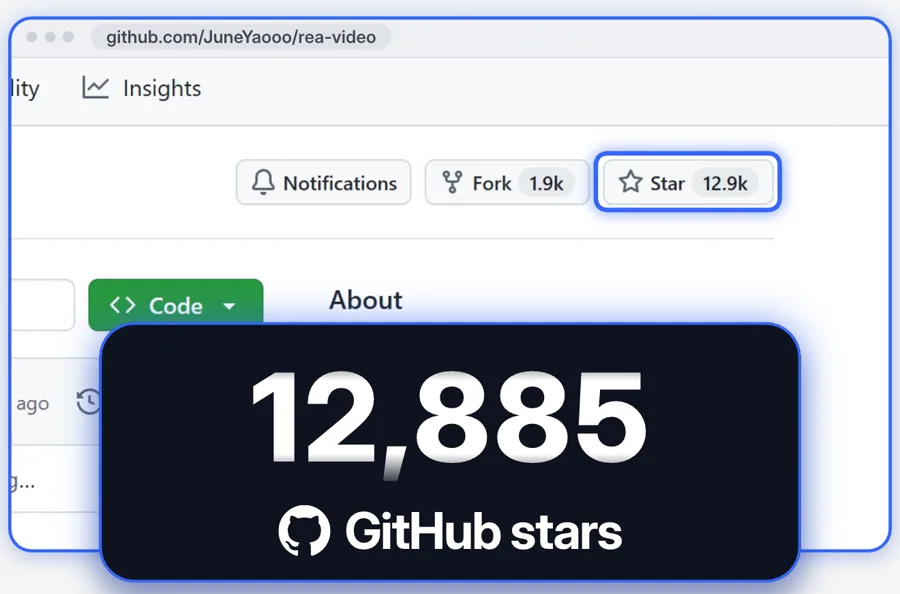
The GitHub page of rea-video and its star count on 24 November 2026, from my reel. The blue box and the star box are from my edit.Open rea-video on GitHub
2
Real footage, AI video or code
What it checks in each shot
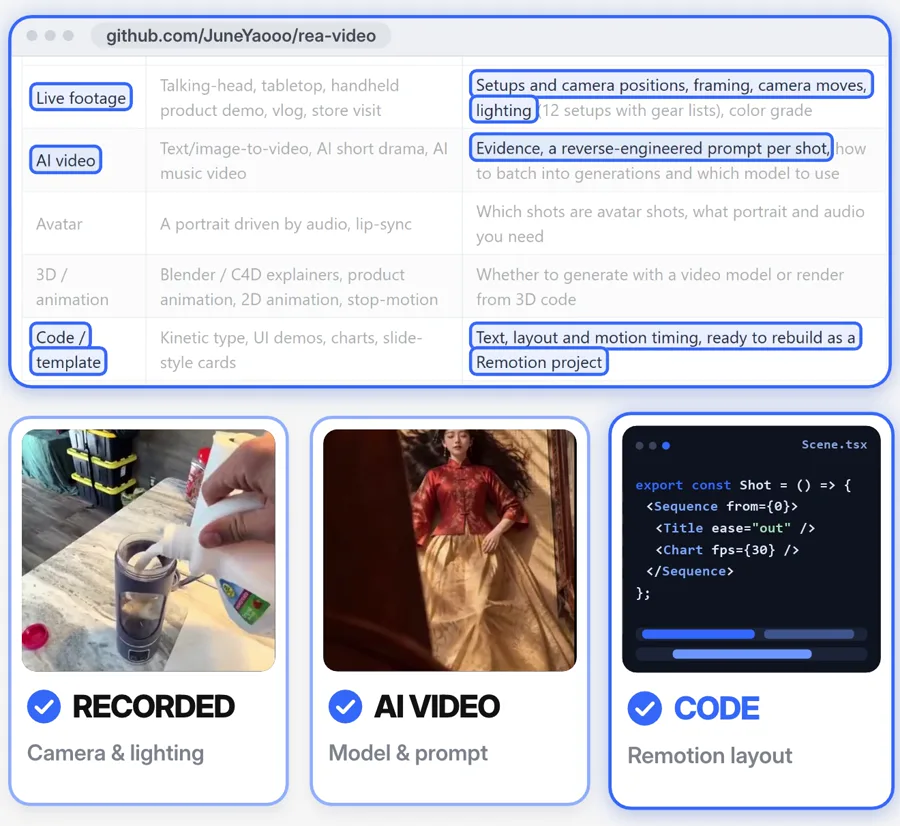
The tool cuts the video into shots. It splits the audio into voice, music and sound effects. Then it measures each shot, for example the frame timing and the sensor noise (the grain of a real camera). It also reads the AI tags that some AI tools put in the file. Then it tells you if each shot is live footage, AI video, an avatar, 3D, code (motion graphics from a program) or a screen recording.
On original files, the maker reports 98% to 99.6% accuracy with the free tools only. Videos from Instagram or TikTok lose detail when the app compresses them. Then the tool needs a visual check. If your agent can see images, it checks the uncertain shots itself.
From my reel: the table in the rea-video README. The first two shots are from the examples in the repo. The code card is a sample from my edit.
3
A step-by-step remake plan
What you get at the end
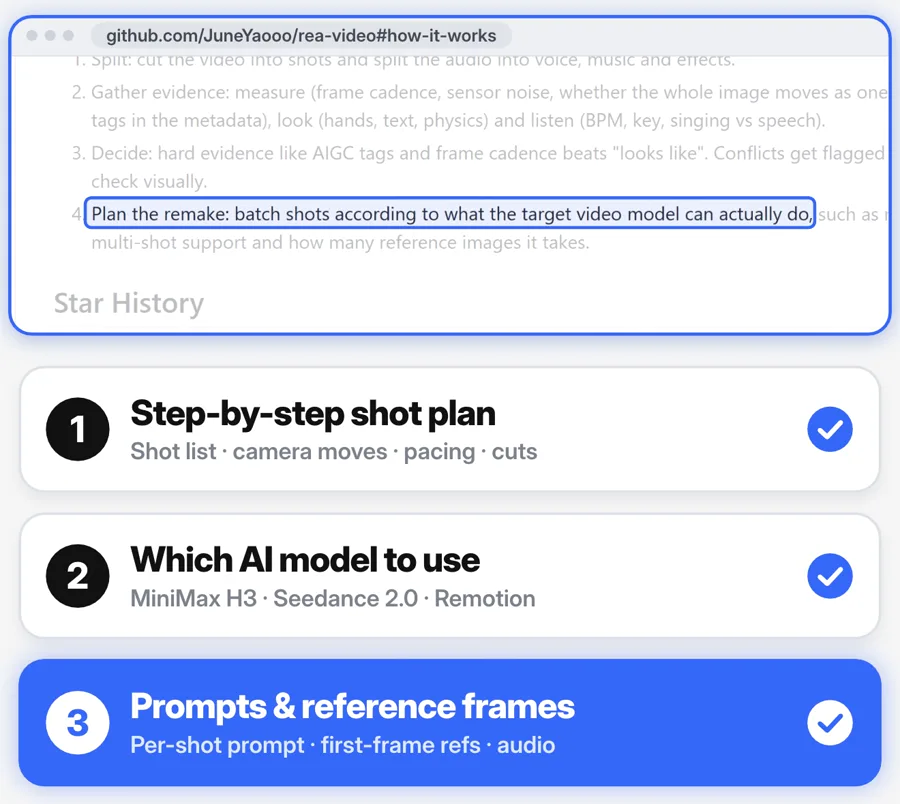
At the end, rea-video writes a remake plan. It puts the shots in groups by what the AI video model can do, for example the longest clip and the number of reference images. For each shot you get the prompt and the reference frames. The plan uses MiniMax H3 by default. If you name another model, the plan uses that model. When the plan is ready, paste my next prompt below.
Use the plan to learn how the video works. Then remake it with your own footage, product and ideas. The maker says: do not reuse the footage, music, characters or face of other people.
From my reel: step 4 of "How it works" in the rea-video README. The 3 rows are my summary of the remake plan.
Prompt
Read VIDEO.md in the output folder. List each shot, the AI model to use, and the exact prompt for my own topic.
One prompt to install it and study a video
Copy this prompt. Paste it into Claude Code. In the last line, write the path of your video file.
Prompt
Install rea-video for me. Read the README at https://github.com/JuneYaooo/rea-video first. Then do its install steps.

Then study my video shot by shot. For each shot, tell me if it is real footage, AI video or code. Then write a step-by-step remake plan: the AI model to use for each shot, the prompt and the reference frames.

If a step needs a paid model or a key, stop and ask me first.

My video: <path to your video file>
Or install it with the plugin lines
1
Check what you need
You need Claude Code. Claude Code needs a paid Claude plan or an Anthropic API account. You also need Python 3.10 or newer and ffmpeg (a free video tool).
2
Open your terminal
Open the terminal (the text window of your computer).
3
Add the marketplace
Type claude plugin marketplace add JuneYaooo/rea-video and press Enter.
4
Install the plugin
Type claude plugin install rea-video@rea-video and press Enter.
5
Save the video on your computer
rea-video studies a video file. If you only have a link, save the video on your computer first. The original file gives the best result.
6
Ask for the plan
Open Claude Code. Give it the video file. Ask it to study the video and write a step-by-step remake plan. Then paste my next prompt from part 3 above.
Questions people ask
Is rea-video free?
Yes. rea-video is free and open source (Apache-2.0 license). Its free mode uses only the tools on your computer. Claude Code needs a paid Claude plan or an Anthropic API account. A video AI model (for example Gemini or Doubao) is optional, and you pay that service. To make the new video, you use the AI models from the plan, and they have their own prices.
Can I give it a link to a reel?
The README shows a video file on your computer. If you only have a link, save the video first. Then give Claude Code the file. Videos from Instagram, TikTok or YouTube lose some detail, so the tool then needs a visual check. If your agent can see images, it does that check.
Does it work with Codex or other agents?
Yes. The maker says that it works in Claude Code, Codex and any agent that can run commands. For Codex, the plugin lines are codex plugin marketplace add JuneYaooo/rea-video and codex plugin add rea-video@rea-video.
Can I repost the video that I study?
No. The maker says that rea-video is for learning the structure, the pace and the methods of a video. Remake it with material that you have the rights to. Do not reuse the footage, music, characters or face of other people. Follow the AI label rules of each app when you post. Read the FAQ of the maker
Want AI set up like this for your business?We build AI setups and run ads for businesses.
JuneYaooo made rea-video (github.com/JuneYaooo/rea-video). The maker says that REA (Reverse Engineer Anything) by morluto inspired it. The idea for my reel came from @nick_saraev on Instagram. All credit to them.